
Game Turbo boosts your gaming with real-time performance monitoring and customizable enhancements.

Game Turbo APK v4.0.1
Game Turbo APK
Download for Android
| App Name | Game Turbo |
|---|---|
| Package ID | com.xiaomi.gameboosterglobal |
| Genre | Apps, Tools |
| Size | 1.7 MB |
| Latest Version | 4.0.1 |
Game Turbo APK for Android: Enhance Your Gaming Experience
If you love playing games on your phone, you might have noticed that sometimes your games can be a bit slow or laggy. This can be really frustrating, especially when you’re about to win a game. But don’t worry!
There’s a magical tool called Game Turbo APK that can help make your games run smoother and faster. Let’s dive into what Game Turbo APK is and how it can make your gaming experience awesome!
What is Game Turbo APK?
Game Turbo APK is a special app developed by Xiaomi Inc. It’s like a superhero for your phone when it comes to playing games. This app is designed to help your games run better on Xiaomi smartphones and tablets. Think of it as a game helper that makes sure your phone is doing its best while you play. It comes built-in with many Xiaomi devices, but you can also download it if you need to.
Why Use Game Turbo APK?
Using Game Turbo APK can make a big difference in your gaming experience. Here are some reasons why you should consider using it:
- Improved Game Performance: Game Turbo helps your phone focus all its energy on your game, making it run faster and smoother. No more lagging or freezing!
- Real-Time Performance Monitoring: You can see how your phone is doing while you play. It shows you things like how much battery is left and how hot your phone is getting.
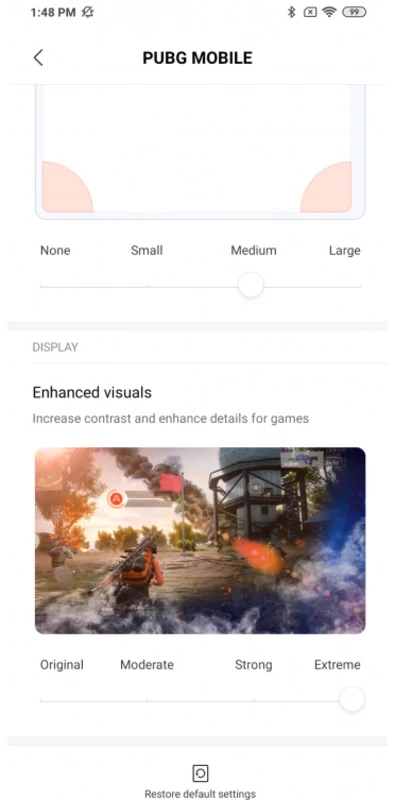
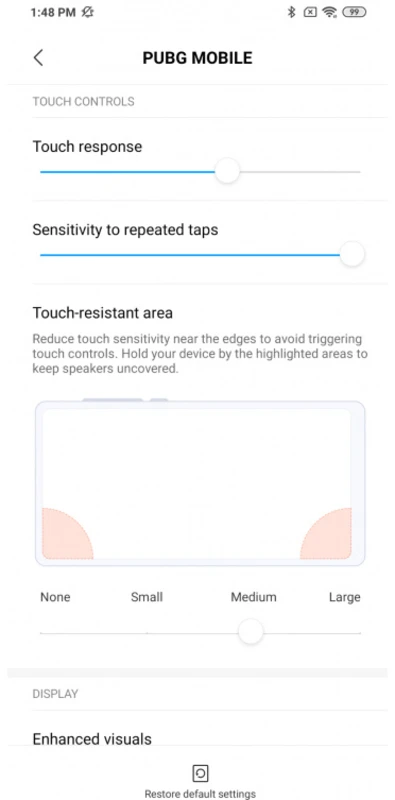
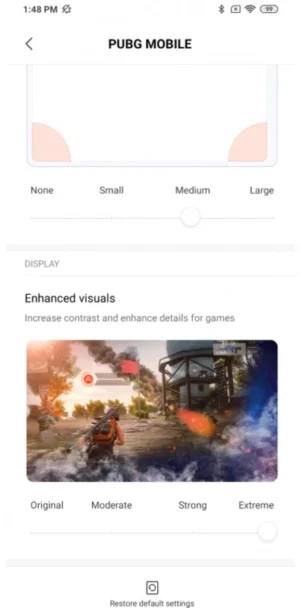
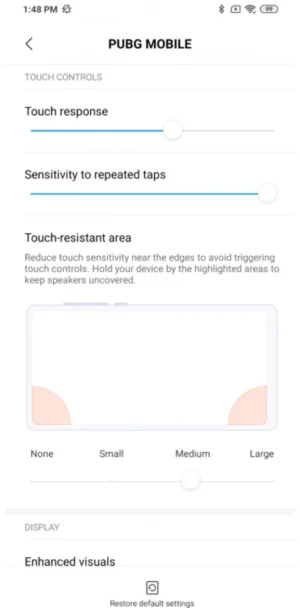
- Customizable Enhancements: You can tweak settings to make your games look and feel just the way you like them. It’s like having your own game control center.
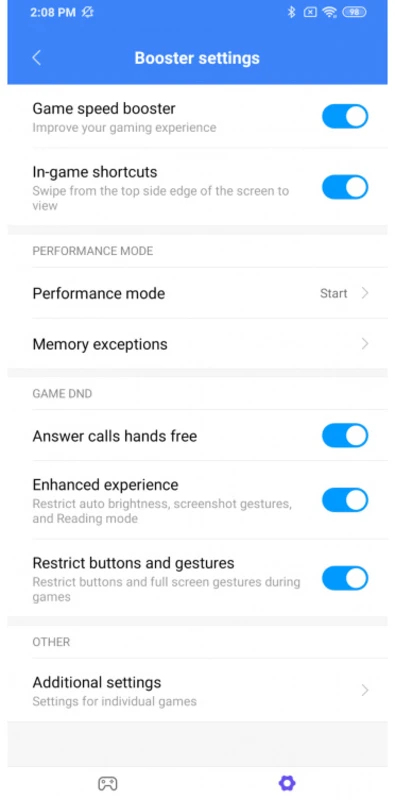
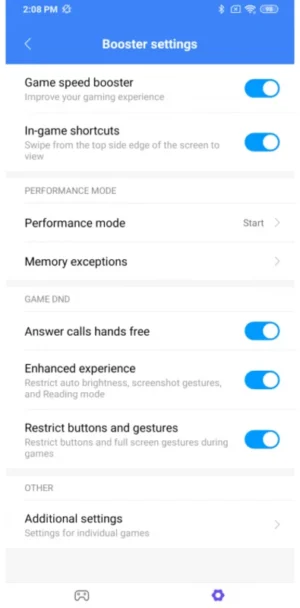
- Distraction-Free Gaming: Game Turbo can block notifications and calls while you’re playing, so nothing interrupts your game.
How to Download Game Turbo APK
Downloading Game Turbo APK is super easy. Just follow these steps to get started:
- Check Your Device: Make sure your phone is a Xiaomi device. Game Turbo works best on these devices.
- Download the APK: Click the download button at the top to get the latest version of Game Turbo APK.
- Install the APK: Once downloaded, open the file and follow the instructions to install it on your phone.
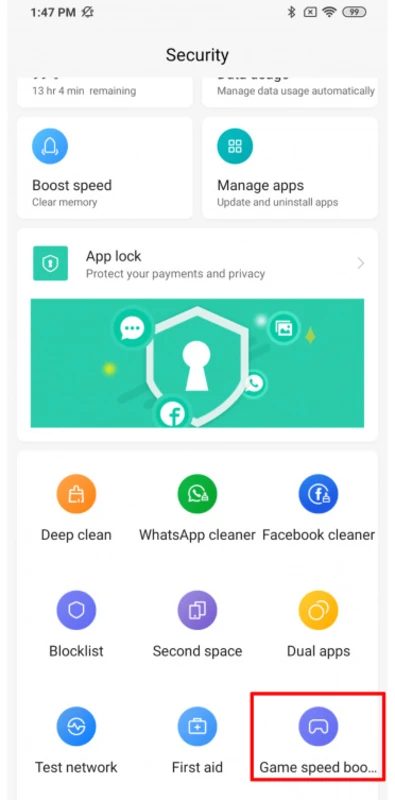
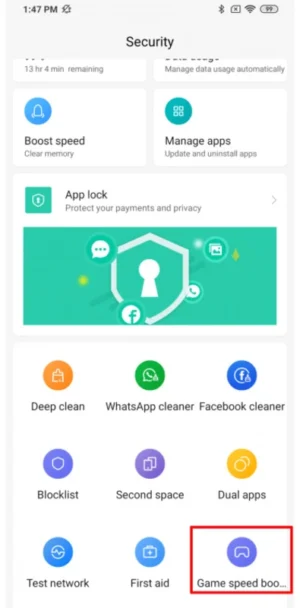
- Open Game Turbo: After installation, open the app and explore all the cool features it has to offer.
Features of Game Turbo APK
Game Turbo APK is packed with features that can make your gaming life a lot easier. Let’s take a closer look at what it can do:
Real-Time Performance Listener
This feature lets you keep an eye on how your device is performing while you play. You can see if your phone is getting too hot or if the battery is running low. It’s like having a little assistant that tells you how your phone is doing.
CPU, RAM, and GPU Control
Game Turbo gives you control over your phone’s CPU, RAM, and GPU. This means you can decide how much power your phone should use for gaming. It’s like turning up the volume on your favorite song to make it sound even better.
Video Recording
Want to show off your gaming skills to your friends? Game Turbo lets you record your gameplay with just a tap. You can capture those epic moments and share them with everyone!
Customizable Enhancements
You can customize the way your games look and feel. Adjust the graphics, sound, and other settings to make your games perfect for you. It’s like having a personal game designer at your fingertips.
How to Install Game Turbo APK
Installing Game Turbo APK is a breeze. Just follow these simple steps:
- Download the APK: Use the download link provided in this post to get the APK file.
- Enable Unknown Sources: Go to your phone’s settings and enable the option to install apps from unknown sources.
- Install the APK: Open the downloaded file and tap ‘Install’. Follow the on-screen instructions to complete the installation.
- Launch Game Turbo: Once installed, open the app and start exploring its features.
Tips for Using Game Turbo APK
To get the most out of Game Turbo APK, here are some tips you can follow:
- Keep Your Phone Updated: Make sure your phone’s software is up to date. This helps Game Turbo work better.
- Close Background Apps: Before you start playing, close any apps running in the background. This frees up more power for your game.
- Use Headphones: For an even better gaming experience, use headphones. You’ll be able to hear every sound clearly and immerse yourself in the game.
Conclusion
Game Turbo APK is a fantastic tool for anyone who loves playing games on their Xiaomi device. It helps your games run smoother, gives you control over your phone’s performance, and even lets you record your gameplay.
With Game Turbo, you can enjoy a distraction-free gaming experience and customize your games to your liking. So, download Game Turbo APK today and take your gaming to the next level!
5/5 (1 vote)